Generate PNG wave-form Images from Audio WAVE Files
First, Install sndfile-tools from: mega-nerd.com
$ cd /usr/src/$ sudo wget http://www.mega-nerd.com/libsndfile/files/sndfile-tools-1.03.tar.gz$ sudo apt-get install sndfile-tools libsndfile1 libsndfile1-dev libfftw3-3 libfftw3-dev libjack-dev libcairo2 libcairo2-dev$ sudo tar xvzf sndfile-tools-1.03.tar.gz$ sudo cd sndfile-tools-1.03$ sudo ./configure$ sudo make$ sudo make check$ sudo make installThen Download and install sndfile-waveform from: rg42.org
$ sudo tar xvzf sndfile-tools-60a0598.tar.gz$ sudo apt-get install libsamplerate0 libsamplerate0-dev$ sudo cd sndfile-tools-60a0598$ sudo ./autogen.sh$ sudo make$ sudo make check$ sudo make installExample-1:
sndfile-waveform example0.wav example0.png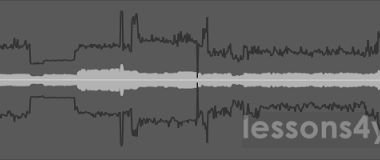
Example-2:
sndfile-waveform --border -g 800x400 --logscale --timecode 10 --channel -1 example1.wav example1.png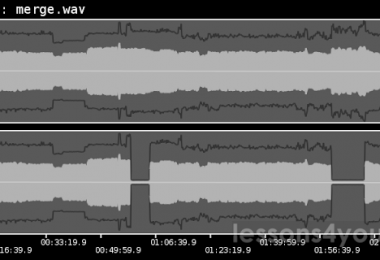
Example-3:
sndfile-waveform -b -g 800x200 --rectified -t 25 -T 172800000 example2.wav example2.png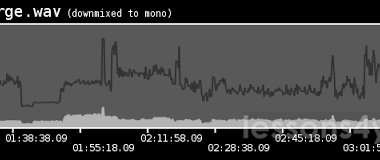
Man Page:
sndfile-waveform - waveform image generator
Creates a PNG image depicting the wave-form of an audio file.Peak-signal and RMS values can be displayed in the same plot,where the horizontal axis always represents time.
The vertical axis can be plotted logarithmically, and the signalcan optionally be rectified.
The Time-axis annotation unit is either seconds or timecodeusing broadcast-wave time reference meta-data.
The tool can plot individual channels, reduce the file to mono,or plot all channels in vertically arrangement.
Colours (ARGB) and image- or waveform geometry can be freely specified.
Usage : sndfile-waveform [OPTION]
Options :  -A, --textcolour     specify text and border colour ; default 0xffffffff                            all colours as hexadecimal AA RR GG BB values  -b, --border              display a border with annotations  -B, --background     specify background colour ; default 0x8099999f  -c, --channel             choose channel (s) to plot, 0 : merge to mono ;                            < 0 : render all channels vertically separated ;                            > 0 : render only specified channel. (default : 0)  -C, --centerline     set colour of zero/center line (default 0x4cffffff)  -F, --foreground     specify background colour ; default 0xff333333  -g x, --geometry x                            specify the size of the image to create                            default : 800x192  -G, --borderbg       specify border/annotation background colour ;                            default 0xb3ffffff  -h, --help                display this help and exit  -l, --logscale            use logarithmic scale  --no-peak                 only draw RMS signal using foreground colour  --no-rms                  only draw signal peaks (exclusive with --no-peak).  -r, --rectified           rectify waveform  -R, --rmscolour      specify background colour ; default 0xffb3b3b3  -s, --gainscale           zoom into y-axis, map max signal to height.  -S, --separator       vertically separate channels by N pixels                            (default : 12) - only used with -c -1  -t [/], --timecode [/]                            use timecode instead of seconds for x-axis ;                            The numerator must be set, the denominator                            defaults to 1 if omitted.  -T                override the BWF time-reference (if any) ;                            the offset is specified in audio-frames                            and only used with timecode (-t) annotation.  -V, --version             output version information and exit  -W, --wavesize            given geometry applies to the plain wave-form.                            image height depends on number of channels.                            border-sizes are added to width and height.