How to Convert 3ga Audio File in mp3 or wav Format
The 3GA file extension is associated with the 3GPP multimedia file format. 3ga audio file is the default audio file format for Samsung Galaxy S series mobile audio recorder. These simplest way to convert 3ga into mp3 or wav is to rename the extension from 3ga to mp3 or wav, and you’r done. but if you want to more then that like change sampling rate or edit your audio the use Audacity. It is free a software for Mac OSX, Windows and Linux.
Step-1: Download and Install Audacity. You can download Audacity from here.
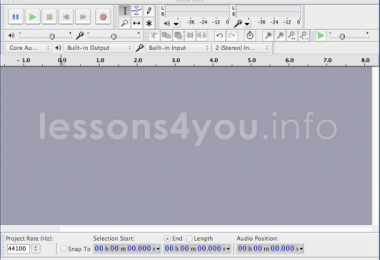
Step-2: Open your 3ga audio file in to Audacity
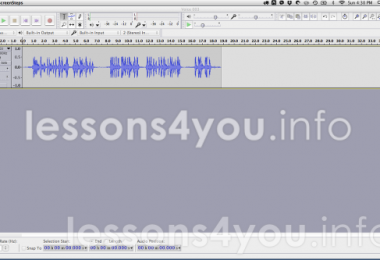
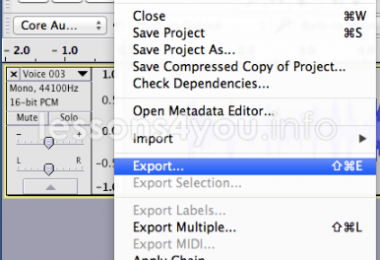
Step-3: Goto the File menu and Export the audio.
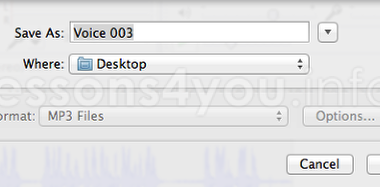
Step-4: Select the save location and and file format you want and hit the “Save” button to preceed.
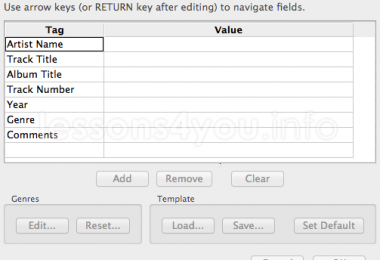
Step-5: Hit “Ok” button to start conversion.
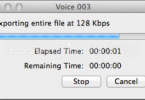
It is showing the conversion process.
Thats it, it will convert yout 3ga file into mp3 and save it to the selected location.