The Best Terminal Emulator for Mac OS X
Mac OS X includes a great terminal, but among the handful of alternatives is one that easily rises above them all. There are 2 recommendation from us to give them a try.
What is iTerm2?
iTerm2 is a replacement for Terminal and the successor to iTerm. It works on Macs with OS 10.5 (Leopard) or newer. Its focus is on performance, internationalization, and supporting innovative features that make your life better.
Features:
Split Panes
Hotkey Window
Search
Autocomplete
Mouseless Copy
Paste History
Instant Replay
Configurability
Full Screen
256 Colors
Unixyness
Readability
Mouse Reporting
Growl Support
Exposé Tabs
Tagged Profiles
Multi-Lingual
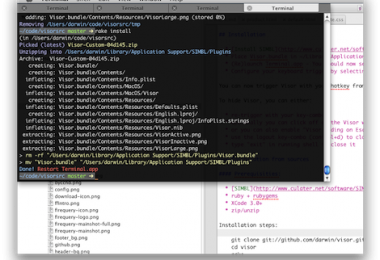
TotalTerminal is a plugin for Terminal.app. It provides persistent Visor Window which slides down when you press a hot-key. Remember Quake Console?
Run installer
Configure your keyboard trigger by selecting the Preferences… -> TotalTerminal and edit your keyboard hot-key. By default it is CTRL+~
Then you can trigger Visor Window with your hot-key from any application to get an instant terminal session.
To hide Visor Window, you can either:
re-trigger with your key-combo
optionally, you can click off the TotalTerminal window