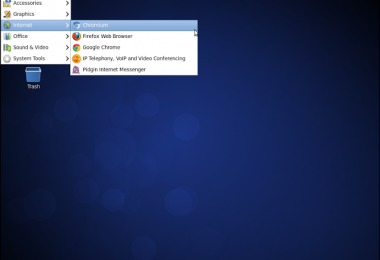
Install Chromium with Pepper Flash on CentOS/Red Hat/RHEL
What is Chromium?
Chromium is an open-source browser project that aims to build a safer, faster, and more stable way for all Internet users to experience the web. Chromium serves as a base for Google Chrome, which is Chromium rebranded (name and logo) with very few additions such as usage tracking and an auto-updater system.
What is Pepper Flash?
Pepper Flash Player is maintained by Google, and is newer than Adobe Flash Player. Adobe currently still provides security fixes for Adobe Flash Player. Google provides newer features in Pepper Flash Player. Pepper Flash Player can currently only be used with Chromium (and with Chrome).
Install Chromium Browser on CentOS RedHat (RHEL), Fedora
Note: You need to be a root user to continue with the process.
Install/enable hughesjr Chromium EL 6 repository
# cd /etc/yum.repos.d# wget http://people.centos.org/hughesjr/chromium/6/chromium-el6.repoInstall Chromium Browser on CentOS/RHEL
# yum install chromiumInstall Pepper Flash Player on Chromium
Note: 1. This is optional step and you will need 200-250 Mb temporary disk space. 2. If you are behind a proxy, you may need to set proxy authentication. Click here to set proxy authentication.
Get hughesjr Helper Script
# cd /tmp# wget https://raw.github.com/hughesjr/chromium_el_builder/master/chrome_pepperflash_copy.shMake chrome_pepperflash_copy.sh Executable
# chmod +x chrome_pepperflash_copy.shInstall Pepper Flash on Chromium
This will take a while, it downloads Google Chrome and extracts Pepper Flash plugin to /opt/chromium and modify Chromium launcher.